Session Replay Software
Watch user moves. Spot where they struggle and optimize your user experience with real session recordings.
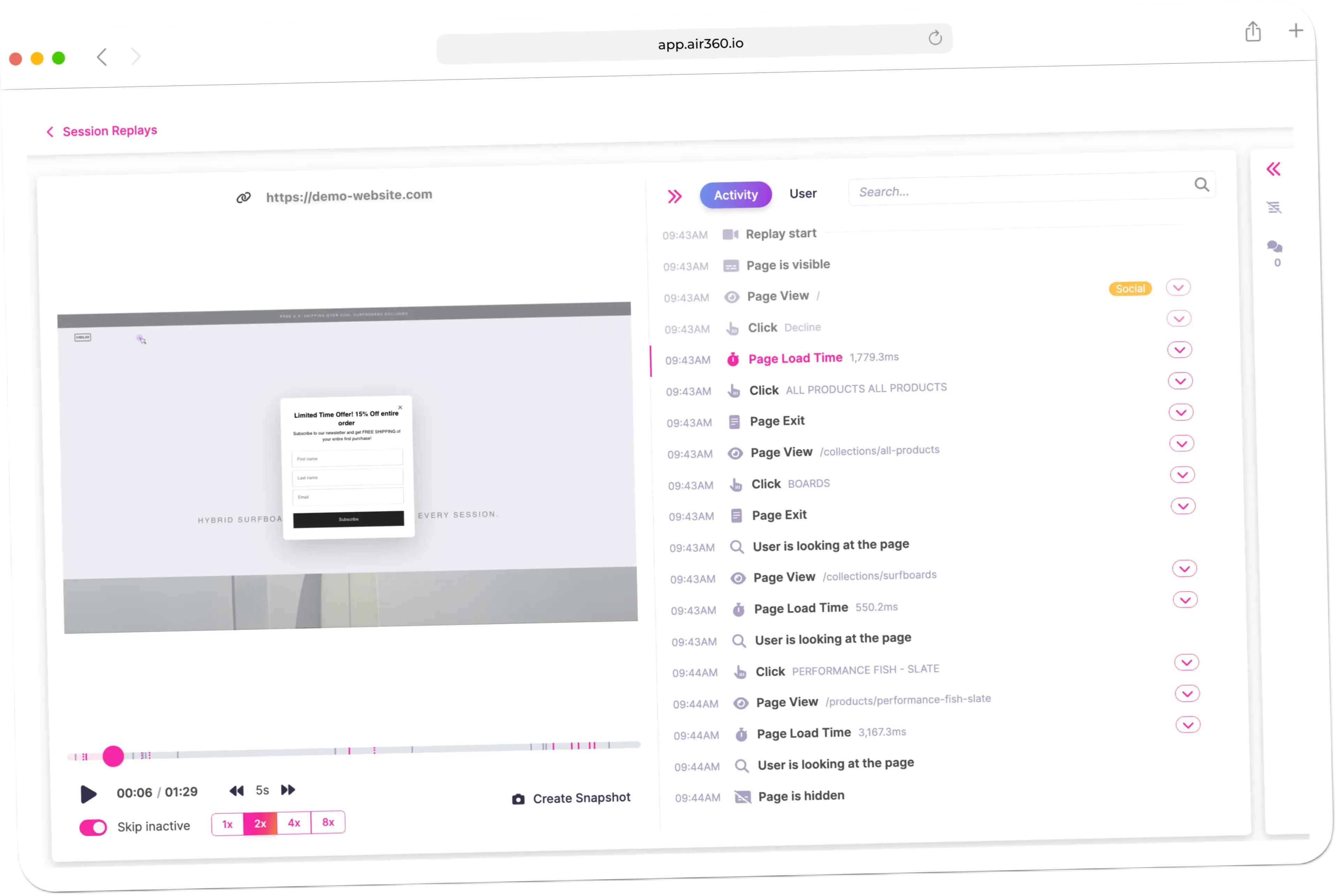
What is Session Replay?
Session Replay reconstructs real visits to your site so you can watch how someone moved through it, where they hesitated, what they clicked repeatedly, and where they gave up. It is the difference between knowing that a step loses 40 percent of visitors and seeing the reason it does. User-entered text in input fields is masked by default rather than as an opt-in setting.
Why use Session Replay?
Numbers tell you where to look and replays tell you what you are looking at. A drop-off can be a confusing label, a validation rule that rejects a valid entry, a button that looks like static text, or an error that only fires on one browser, and those look identical in aggregate reporting. You can filter sessions by behaviour, device, conversion status and other criteria to find relevant recordings instead of scrubbing through hours of them, and open replays directly from any funnel or journey step.
What the first week looks like
Do not open replays at random. Start from a number - a funnel step, an error, a page with a poor conversion rate - and watch the sessions behind it. Ten replays from one specific drop-off will teach you more than a hundred sampled from everywhere, and the pattern usually shows up in the first three. Teams that watch replays without a question to answer stop within a fortnight. Teams that arrive from a funnel keep going.
Where it fits with the rest
Replays are the evidence layer under everything else. A funnel gives you the step, zoning gives you the element, page analysis gives you the load time, and replays show you what the combination did to a real person on a real device. They are also what settles a disagreement quickly - it is hard to argue with thirty seconds of someone failing to complete the form you designed.
Everything you need to know
Where teams use this
E-commerce Companies
Create the best possible online shopping experience with Air360, with personalized journeys, smooth checkout, and optimized customer engagement.
Bank & Insurance
Create the best possible online application experience with Air360, with personalized journeys, smooth onboarding, and optimized customer engagement.
Hotel Brands
Create the best possible online booking experience with Air360, with personalized journeys, smooth reservations, and optimized guest engagement.
Stop wondering why users leave.
Start knowing.
Join teams who use Air360 Session Replays to watch real user behavior and fix friction fast. And insight into revenue.